






Understanding the Rise of Fake Accounts on Social Media
Fake accounts on Instagram and Facebook are growing at an alarming rate. These accounts impersonate brands, influencers, businesses, and even ordinary users to spread scams, steal data, or damage reputations. If left unchecked, fake profiles can seriously harm brand trust and user safety.
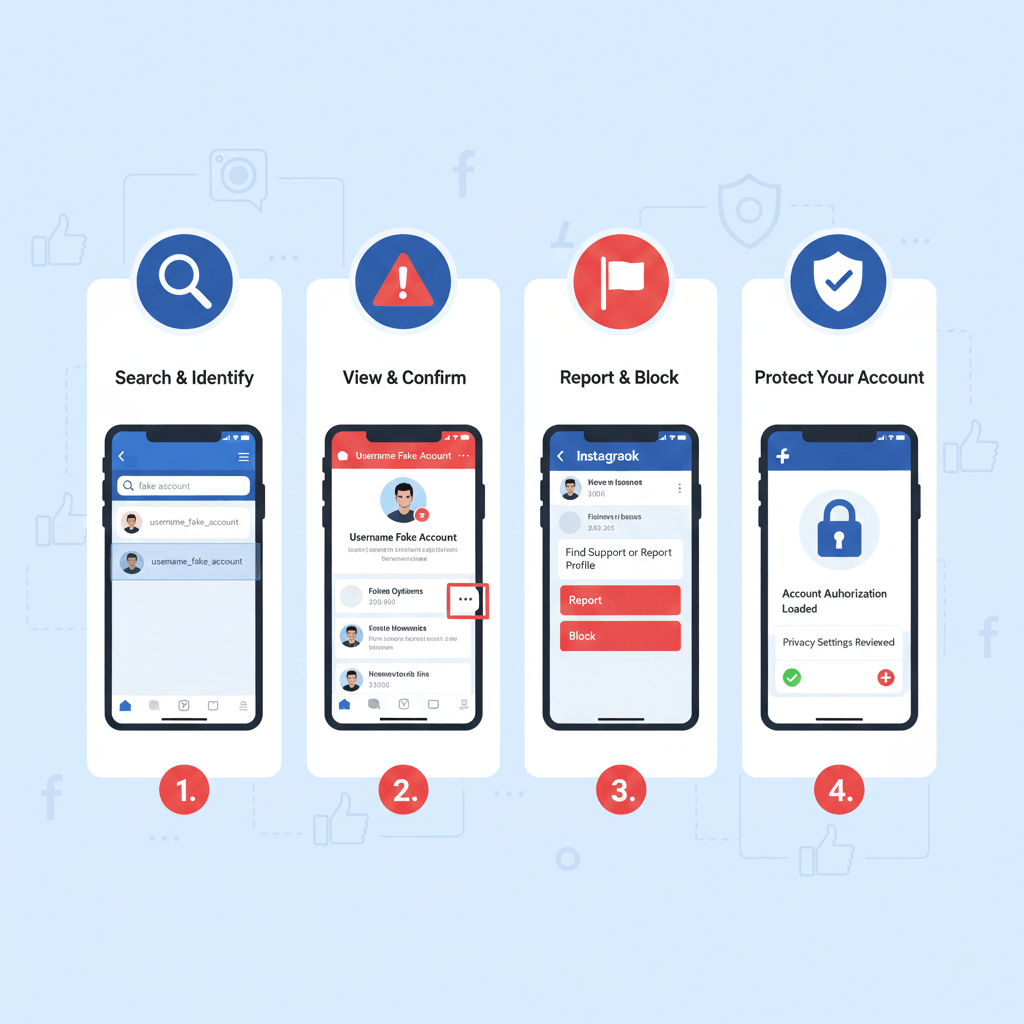
Why Fake Instagram and Facebook Accounts Are a Serious Threat
Fake social media accounts are not harmless. They are often used for phishing, financial fraud, impersonation, and misinformation. For businesses and public figures, fake accounts confuse customers and divert genuine engagement to fraudsters.
Common Types of Fake Accounts on Instagram and Facebook
Fake accounts appear in different forms. Some impersonate official brand pages, others copy influencer profiles, and many are created solely to send spam messages or malicious links. Understanding these types helps in accurate reporting and faster removal.
Why Reporting Fake Accounts Is Important
Reporting fake accounts helps keep social media platforms safe and trustworthy. It protects users from scams, preserves brand reputation, and ensures compliance with platform policies. Proactive reporting also discourages repeat offenders.
Step-by-Step Guide to Report Fake Accounts on Instagram
Step 1: Visit the Fake Instagram Profile
Open the fake profile directly. Make sure you are on the impersonating or suspicious account before reporting.
Step 2: Use the Report Option
Tap the three dots on the profile, select “Report,” then choose “It’s pretending to be someone else” or “Scam or fake account,” depending on the issue.
Step 3: Select the Right Category
Instagram asks for details such as impersonation of a business, public figure, or individual. Selecting the correct category improves takedown success.
Step 4: Submit Supporting Details
If required, provide links to the original account or proof of identity. This strengthens the report and speeds up action.
Step-by-Step Guide to Report Fake Accounts on Facebook
Step 1: Open the Fake Facebook Profile or Page
Navigate to the fake profile or page that is impersonating you or your brand.
Step 2: Click on “Find Support or Report”
Under the profile options, choose “Find Support or Report Profile” and select impersonation or fake account.
Step 3: Confirm the Impersonation Type
Facebook allows you to specify whether the account is pretending to be you, a business, or someone else.
Step 4: Submit Identification or Proof
For faster removal, Facebook may request ID or official documents, especially for brand impersonation cases.
Keywords to Watch While Reporting Fake Accounts
Using accurate keywords such as fake Instagram account, Facebook impersonation, report fake profile, social media fraud, and brand impersonation helps in internal tracking and enforcement processes.
Challenges in Removing Fake Accounts Manually
Manual reporting can be slow and inconsistent. Fake accounts often reappear under new names, use private settings, or operate in bulk. Platforms may also take time to review reports, especially when evidence is incomplete.
How TrustNet Security Helps Remove Fake Accounts
TrustNet Security offers professional social media brand protection services to combat fake accounts effectively.
Advanced Monitoring and Detection
TrustNet continuously monitors Instagram and Facebook for fake profiles using brand names, logos, and keywords. This ensures early detection before damage spreads.
Professional Reporting and Escalation
Their experts submit accurate reports with proper documentation, increasing approval rates and speeding up takedowns.
Handling Repeat Offenders
TrustNet tracks repeat impersonators and ensures re-uploaded or recreated fake accounts are removed quickly.
Detailed Reporting and Transparency
Clients receive clear reports showing detected fake accounts, action taken, and removal status, ensuring full visibility.
Preventive Measures to Avoid Fake Account Creation
Regular verification badges, educating audiences about official accounts, and monitoring new mentions help reduce impersonation risks. Combining these steps with professional monitoring creates strong protection.
Conclusion
Fake accounts on Instagram and Facebook are more than just an inconvenience they are a real threat to trust, revenue, and online safety. While platforms provide reporting tools, manual action alone is often not enough. With expert support from TrustNet Security, businesses and individuals can detect fake profiles faster, remove them efficiently, and maintain a clean, trustworthy social media presence.
FAQs
1. How long does Instagram take to remove fake accounts?
It usually takes a few hours to several days, depending on report accuracy.
2. Can Facebook remove fake business pages?
Yes, with proper proof, Facebook removes impersonating pages.
3. Do fake accounts come back after removal?
Yes, which is why continuous monitoring is important.
4. Is reporting fake accounts free?
Yes, but professional services improve speed and success.
5. Why choose TrustNet Security for fake account removal?
TrustNet Security offers continuous monitoring, expert reporting, and long-term brand protection.
