




You’ve probably seen people write “I do not own the rights to this music” in their video descriptions. According to basic legal principles, these standard disclaimers offer zero actual protection against the YouTube Copyright Rules. Those magic phrases are nothing more than a widespread internet myth.
Imagine spending ten hours editing your latest gaming walkthrough, hitting publish, and immediately seeing a red “Blocked” icon. This gut-punch happens because of Content ID, an incredibly fast automated detection system. Based on official platform guidelines, robots scan every single upload to quickly flag instances of copyright infringement YouTube creators might accidentally commit.
Understanding the crucial difference between these automated robot scans and manual reports from human rights owners is essential for surviving on the platform. A manual report acts like a serious speeding ticket, but an automated claim often just means the original artist gets to collect your ad money like a landlord collecting rent.
Navigating the youtube copyright policy doesn’t have to be terrifying once you understand the machinery behind the curtain. By abandoning useless disclaimers and learning how detection actually works, you can build a reliable strategy to protect your channel health and keep your videos online.
Content ID Claims: Why You’re Losing Ad Revenue to the ‘Landlord’
When an automated scanner flags your newly uploaded vlog with a copyright notice, don’t panic. The YouTube Content ID system constantly checks new uploads against a vast database of protected media to see if you used someone else’s property.
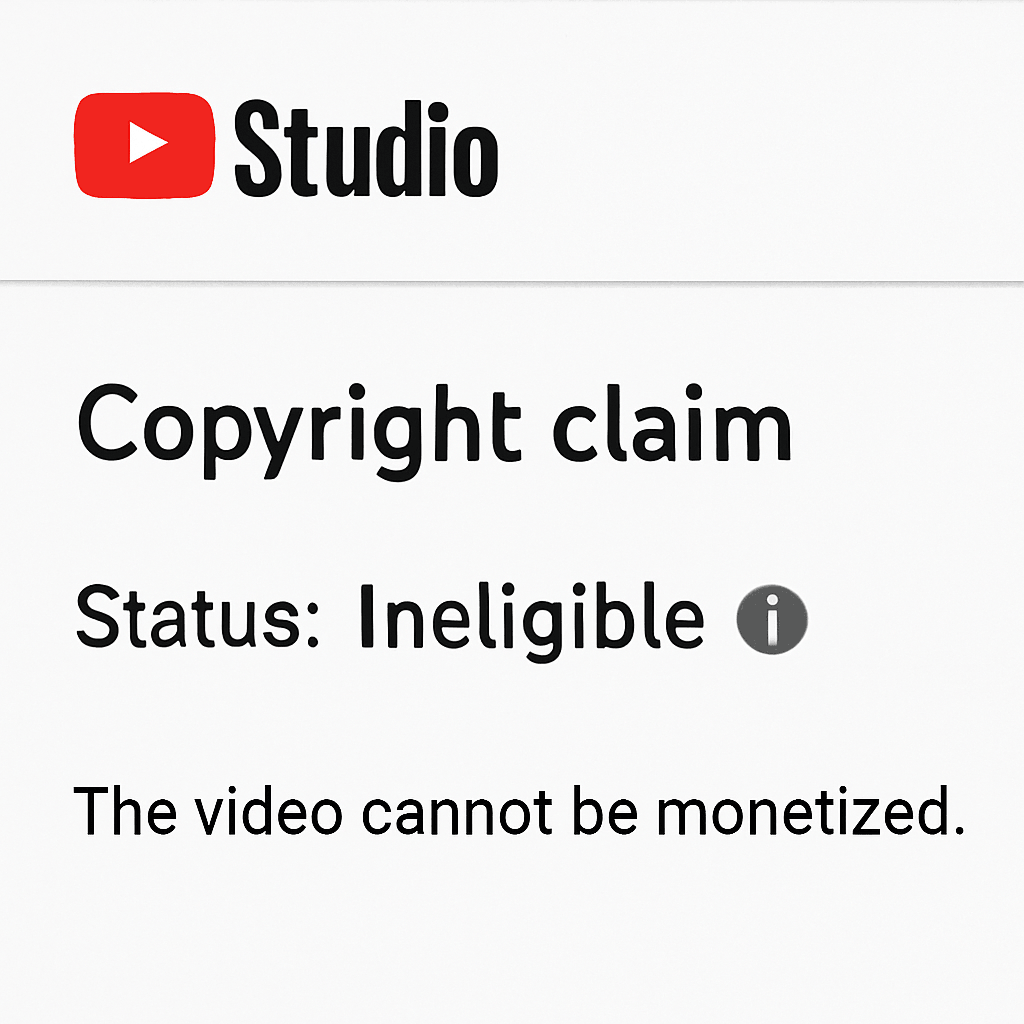
When this scanner spots a match, you receive a claim rather than a channel penalty. Think of YouTube copyright claims as a “Landlord Analogy.” You built the house (your video), but you used someone else’s land (their song). The owner isn’t evicting you. Instead, they collect the rent, changing your monetization status after a copyright claim so ad money goes directly to them.
Depending on the copyright owner’s rules, a match triggers one of three specific consequences:
- Ads: The owner places commercials on your video and takes the revenue.
- Muting: The protected audio is silenced while your video visuals keep playing.
- Tracking: The owner simply monitors your video’s overall viewership stats.
Finding these details is as easy as checking the Copyright Match Tool inside your Creator Studio dashboard. While automated claims act like financial speedbumps, you must watch out for the manual actions that actually threaten your account.
Copyright Strikes: Avoiding the ‘Traffic Ticket’ That Kills Your Channel
While automated claims redirect ad money, the copyright strikes YouTube enforces act like serious traffic violations. If a claim is a simple parking fine, a strike is a speeding ticket putting dangerous points on your channel’s license. These occur through a manual takedown-a formal request from a copyright owner to remove your video completely. This triggers the one-two rule for manual takedowns: your video is instantly deleted, and your channel receives a severe penalty mark.
Recovering from this penalty requires immediate action to restore your account’s good standing. You must fulfill YouTube Copyright School requirements by watching an educational video and passing a quiz about basic content rules. Afterward, a mandatory 90-day cooldown timer begins. If you avoid any further infractions during these three months, your strike safely expires and you return to a clean slate.
The platform strictly enforces these limits to maintain the DMCA safe harbor for creators, a legal shield ensuring YouTube itself isn’t sued for user uploads. Because they must follow the law, repeat offenders face the ultimate consequence. After three copyright strikes, your channel is permanently terminated, your videos vanish, and you are banned from making new accounts.
Knowing exactly when you can legally use protected material without asking protects your channel from this permanent loss.
Fair Use Decoded: Building a ‘Four-Legged Stool’ for Your Content
You’ve probably seen creators write “no copyright intended” or claim using exactly five seconds of a song is completely legal. Spoiler alert: neither tactic protects you. Fair use isn’t a magic wand or a pre-approved right; it’s strictly a legal defense.
To figure out if your video qualifies, courts use a framework resembling a four-legged stool. If one leg is weak, the whole stool tips over. When evaluating the four factors of fair use for creators, judges examine exactly how you used the material.
Every time you borrow content, your stool must balance these four legs:
- Purpose: Are you reviewing the work, or just copying it?
- Nature: Is the original factual (news) or highly creative (movies)?
- Amount: Did you use a tiny snippet or the absolute best part?
- Market Effect: Does your upload replace the original creator’s views?
The strongest leg is your purpose, specifically navigating transformative use vs derivative works. If you just slap a pop song over unedited gameplay, that’s a derivative work needing permission. Conversely, following proper fair use guidelines for reaction videos means pausing a trailer to actively analyze lighting choices. You must add significant new commentary to achieve true fair use.
Even perfectly balanced content might still get flagged because automated systems cannot understand human context. When that inevitably happens, you need to know your immediate options.
Fixing the Red Icon: How to Resolve Claims Without Deleting Your Video
Panicking and deleting a blocked upload is a rookie mistake that wipes out your view count. Instead, YouTube’s built-in Content ID Overlays provide a surgical toolkit to fix the exact moment the violation occurred, keeping your video live and your metrics intact.
Opening your Studio dashboard reveals exactly which timestamp triggered the flag, offering three distinct paths for how to remove a copyright claim without deleting the video:
- Mute: Silence the audio solely during the restricted segment.
- Replace: Swap the flagged track with free music directly from YouTube’s Audio Library.
- Dispute: Challenge the claim if you secured permission or have a clear fair use defense.
Choosing to fight back initiates a formal dispute resolution, holding any ad revenue in escrow while the claimant has 30 days to review your argument. If you are disputing fraudulent copyright claims and the owner rejects your appeal anyway, your final escalation is filing a copyright counter-notification. This legally binding request forces YouTube to restore your video unless the claimant formally sues you.
Sourcing Safe Assets: Where to Find Music and Footage That Won’t Get You Banned
Relying on disputes is incredibly stressful, making proactive asset sourcing your best defense. Navigating copyright music rules doesn’t require a law degree. To master basic YouTube licensing rules, simply pull from designated safe zones rather than downloading random internet tracks.
Safe content generally falls into four categories:
- YouTube Audio Library: Your easiest source for free tracks. Filter for “No Attribution required” to skip crediting entirely.
- Creative Commons (CC): The creator grants free use under specific conditions. Learning how to use a creative commons license usually just means pasting the artist’s name in your video description.
- Public Domain: Identifying public domain music and footage means finding older works with expired copyrights, making them completely free for anyone to use.
- Royalty-Free: Despite the name, this isn’t necessarily free. Licensing royalty-free music means paying a one-time stock library fee upfront to avoid recurring charges based on your view count.
Securing these approved assets guarantees that your hard-earned ad revenue stays exactly where it belongs: in your pocket.
Your 30-Day Channel Health Plan: Staying Green and Strike-Free
Navigating YouTube copyright rules no longer means tiptoeing around automated systems in fear. You now understand that a Content ID claim is simply a digital landlord collecting rent, while a copyright strike is a serious traffic violation that threatens your channel. With this clarity, you can confidently turn unexpected red flags into manageable speed bumps.
To build a long-term strategy and consistently maintain a green monetization status, implement this 30-day ‘Safety First’ checklist:
- Conduct a monthly ‘Copyright Audit’ of your Creator Studio.
- Build a ‘License Folder’ to store proof of all music permissions.
- Verify genuine public domain status before using older media.
- Apply the four-factor fair use test honestly to every reaction clip.
- Default to the YouTube Audio Library for guaranteed safe tracks.
How TrustNet Security Helps You Stay Protected
If you’re running a channel at scale, copyright issues often overlap with brand protection and account security. TrustNet Security can help creators and businesses operationalize copyright compliance and enforcement with practical support such as:
- Copyright monitoring and infringement detection: Identifying reuploads or unauthorized use of your videos, music, or brand assets across platforms.
- DMCA takedown and dispute support: Assistance preparing takedown requests and handling the documentation flow when you need removals or are responding to claims.
- Brand impersonation removal: Responding to lookalike channels, copied thumbnails, fake profiles, and other identity-misuse patterns that dilute trust.
- Channel security and recovery guidance: Helping reduce takeover risk and supporting recovery steps when access, authentication, or ownership is compromised.
When your workflow includes repeat uploads, collaborations, and licensed assets, having a clear enforcement process can reduce downtime, revenue disruption, and long-term channel risk.
Protecting your channel is a rewarding, ongoing habit. Start by applying these copyright tips to your very next upload. When you proactively organize your assets and respect video rights, you eliminate the stress of surprise takedowns and regain your freedom to just create.